Optional module, enabled on request
Security Awareness
Security awareness inside the system staff already use every day
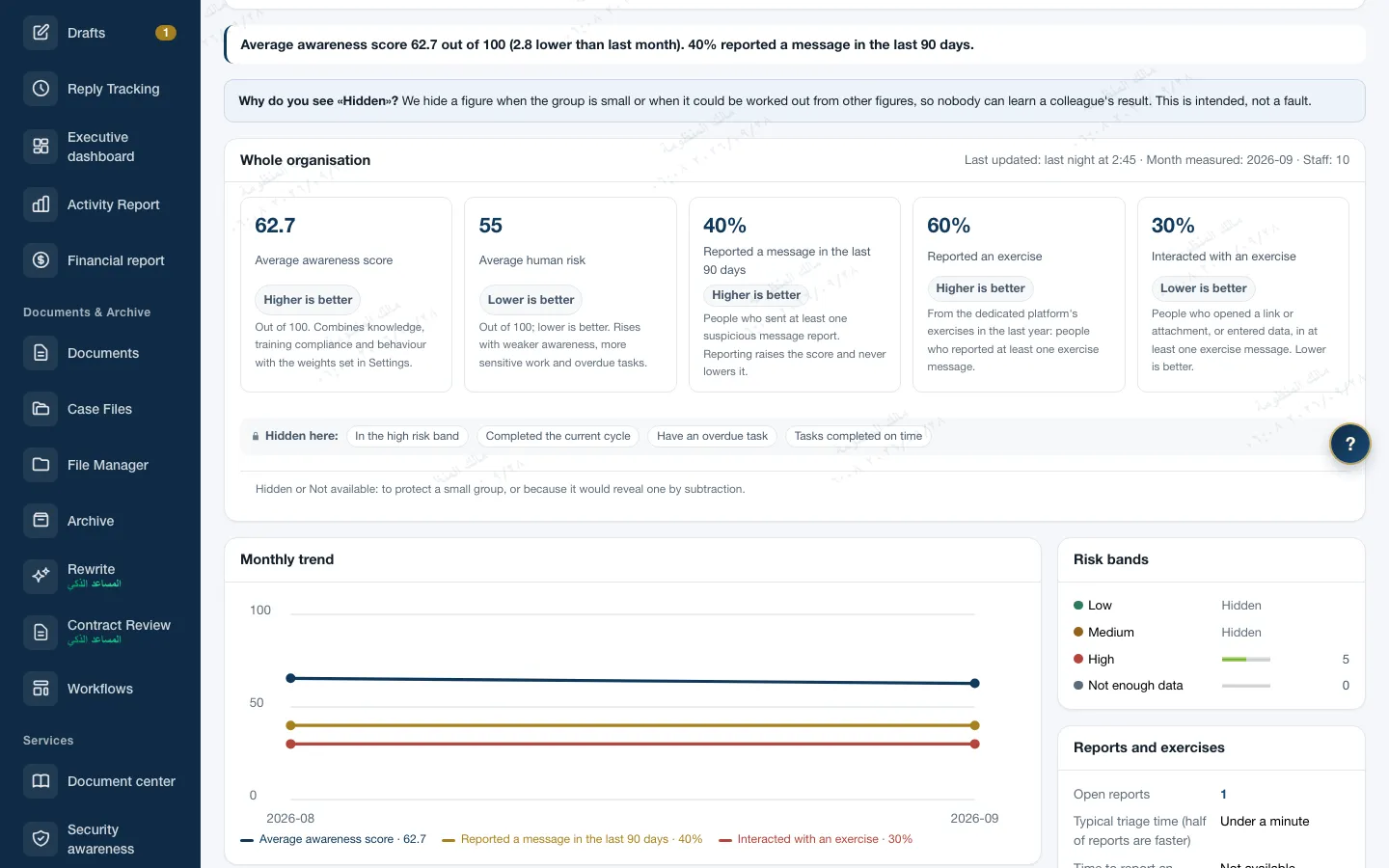
Short lessons, assessments and scheduled campaigns, training on realistic scenarios inside Zajil, and a button to report suspicious messages. Zajil never sends phishing messages to staff. Every staff member has an awareness score out of 100, and leadership sees aggregate figures that hide every small group.
- 18 topics with short lessons, and 164 questions in Arabic and English
- Simulation through cards inside training, not messages in the inbox
- Results are not used in performance evaluation, and the direct supervisor does not see them
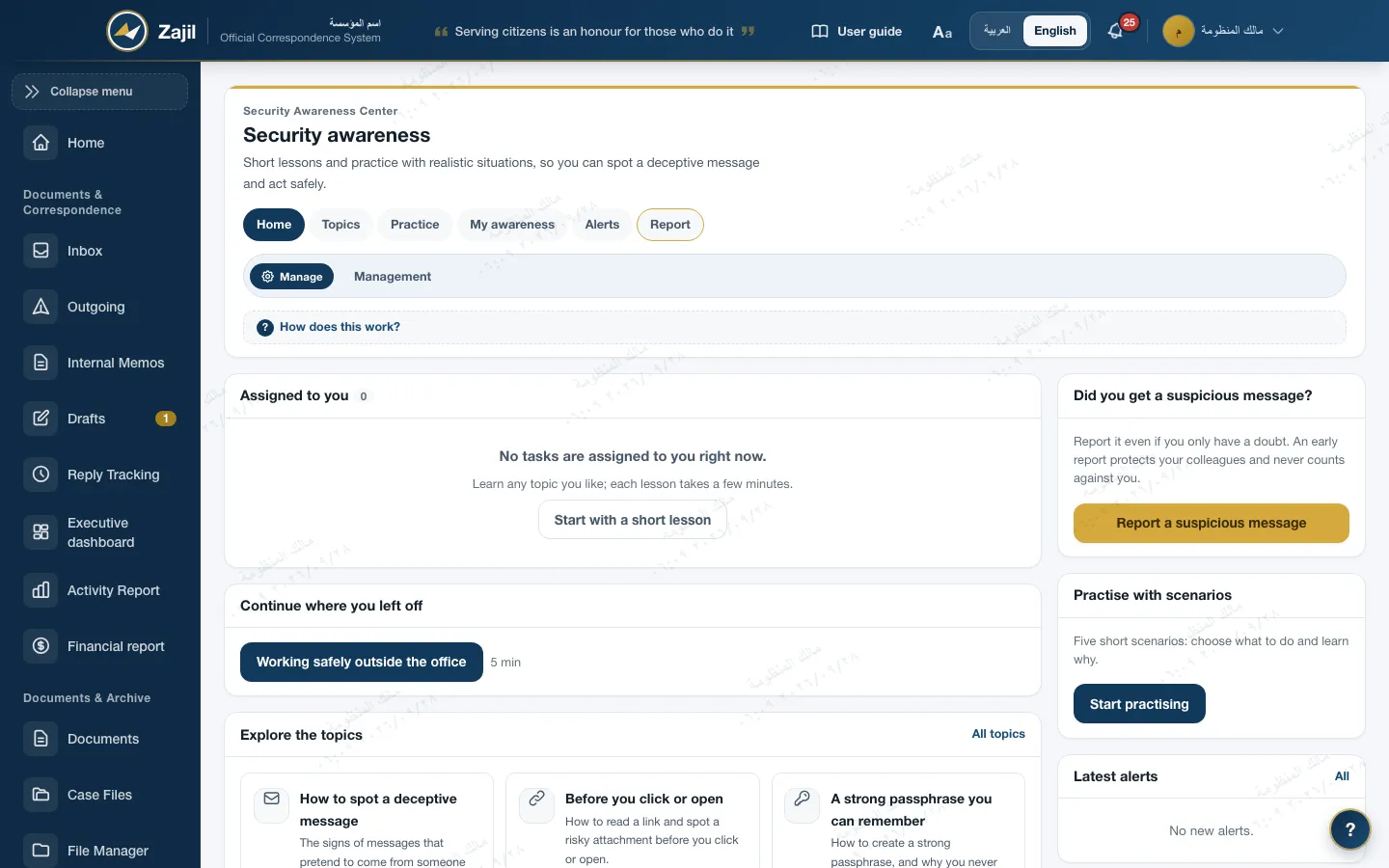
Lessons and assessments
A short lesson, then a question that measures understanding
Topics of the core pack
Phishing, links and attachments, passwords, two-step verification prompts, secret documents, voice fraud, QR codes, AI tools, and more.
Four question types
Single choice, multiple choice, true or false, and scenario. Multiple choice and scenarios earn partial credit.
Graded assessment, ungraded practice
A pass mark of 80 and 3 attempts by default, which a campaign can change. Free practice is five questions a round.
A fixed paper
An attempt's questions are fixed when it starts, so editing a question later never changes a result, and answers don't show before their time.
Adaptive repeats
From the second cycle of a recurring campaign: questions the person has not seen, harder where they are strong, easier where they are weak.
Two languages, and mobile
All content in Arabic and English, and notifications in the recipient's language. Learning and reporting work from the phone too.
Scenario training
Simulation inside training, not in the inbox
Zajil never sends exercise messages, phishing or otherwise, to staff. Staff see a card that looks like the message, choose what to do, then learn why. A sending engine inside a government correspondence system widens the attack surface, so we left that to specialised platforms.
Training card · E-mailAn inert card: nothing is sent or opened
- From
- IT Service Desk (it-helpdesk@org-support.test)
- Subject
- Security update required: confirm your account within 2 hours
- Time
- Today, 7:12 am
...because mailboxes are moving to a new server, confirm your username and password at org-example.test/verify or your Zajil account will stop working today...
Warning signs on the card
- 1This isn't your organisation's domain
- 2A short deadline so you have no time to check
- 3Genuine IT support never asks for your password
- 4The link resembles your organisation's name but leads to another site
IT support asks you to confirm your password. This email arrives early in the morning, before work starts. What is the best thing to do?
- 50Delete the email and do nothing else, since you didn't fall for it.
- 100Don't click the link or reply to the sender; report the email through "Report a suspicious message".
- 0Open the link just to look at the page without typing anything, then report it.
- 0Reply and ask the sender whether the email is genuine before doing anything.
This keeps you out of danger and lets the security team protect colleagues who got the same email.
A card from the core pack as staff see it, with a score and an explanation for every choice.
- 9 card typesE-mail, text message, chat, call, voice note, QR code, USB stick, web page and document.
- No real addressesDomains reserved for examples, such as example.com and .test, no real phone numbers, and no working links.
- No sending capabilityAn automated test fails if the module imports any tool for sending e-mail or text messages.
- Live exercises from a specialised platformIf the institution runs live exercises with a licensed platform, Zajil only imports their results: a CSV file or an API with a service account.
Campaigns
Campaigns with an audience and a deadline, repeating on schedule
- AudienceAll staff, units with the units beneath them, roles, a minimum clearance, or people who joined within a number of days. Conditions combine.
- Deadline and remindersA 14-day deadline by default, a reminder 3 days before, then every 7 days after, up to 3 times. Reminders are inside Zajil, not by e-mail.
- Scheduled campaignsOnce, monthly, quarterly, every six months or yearly. On the same day, a day such as the first Sunday, or the first working day by the institution's holiday calendar.
- The administrator's actionsSkip up to 12 dates, pause and resume, change the schedule, return to draft, and archive. All audited with their actor.
- The year planFive campaigns with their dates: phishing in January, passwords and two-step verification in April, data classification in July, awareness month in October, and the new joiner programme all year. They are created as drafts only, and nothing reaches anyone until the administrator launches each one.
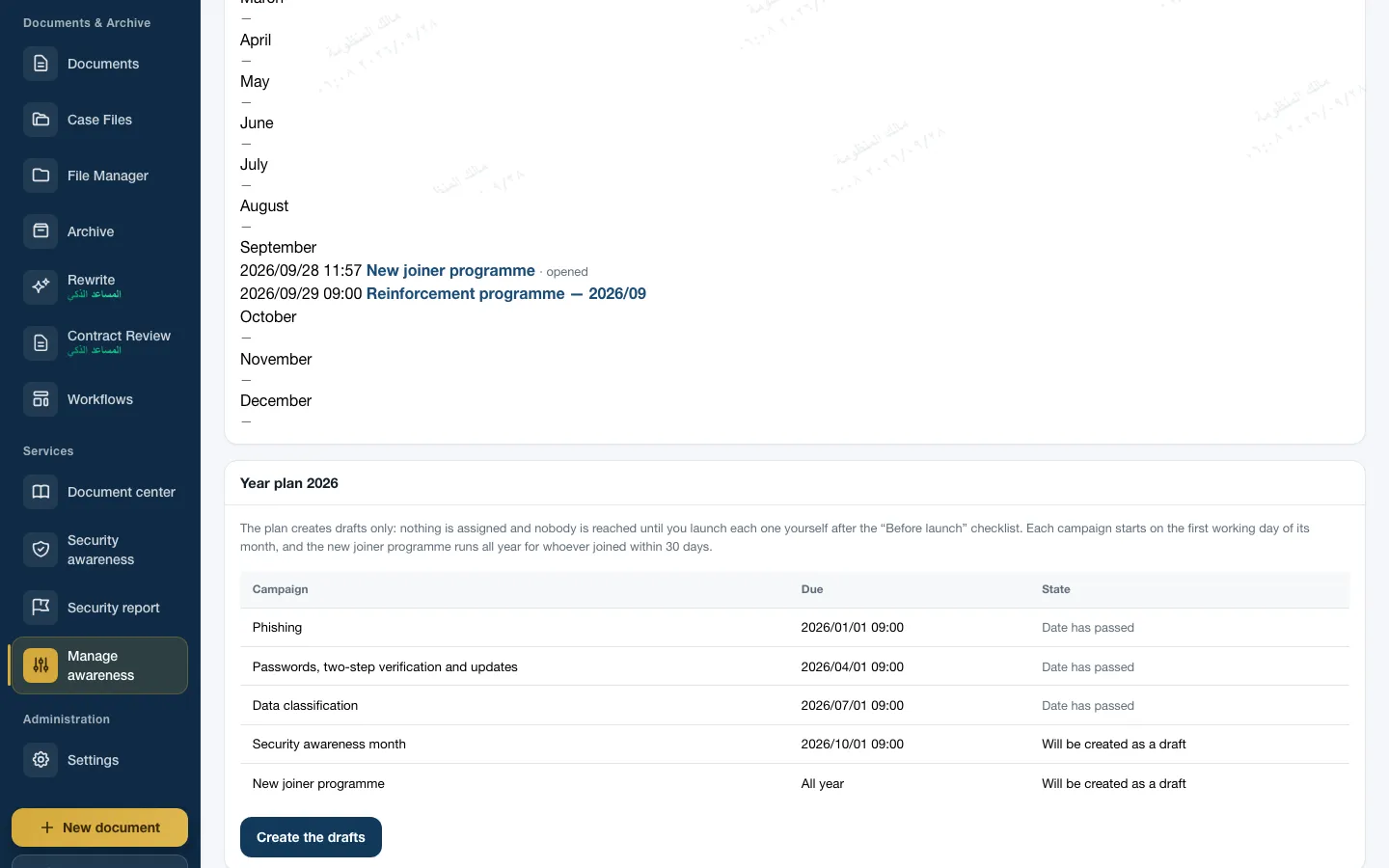
Reporting suspicious messages
A report is easy, reaches someone who checks it, and never counts against its sender
- From anywhere"Security report" in the menu, "Report as suspicious" on any letter in Zajil, and from the mobile app.
- Two simple questionsHow it arrived: e-mail, text message, messaging app, call, a letter in the system, or in person. And what you did. Anyone who gave a password or opened an attachment has their report raised to high priority automatically.
- A reported letterOnly its type, whether it is secret, and its attachment metadata are kept. No subject, no file name, no sender.
- TriageNew, then under review, then confirmed, benign or exercise. With a category, duplicate linking, an internal note, and the highest priority first.
- The reporter hears backInstant thanks, a notice on closing with a reply in their language, and "My reports" with plain statuses. A report never lowers any score, and it raises behaviour.
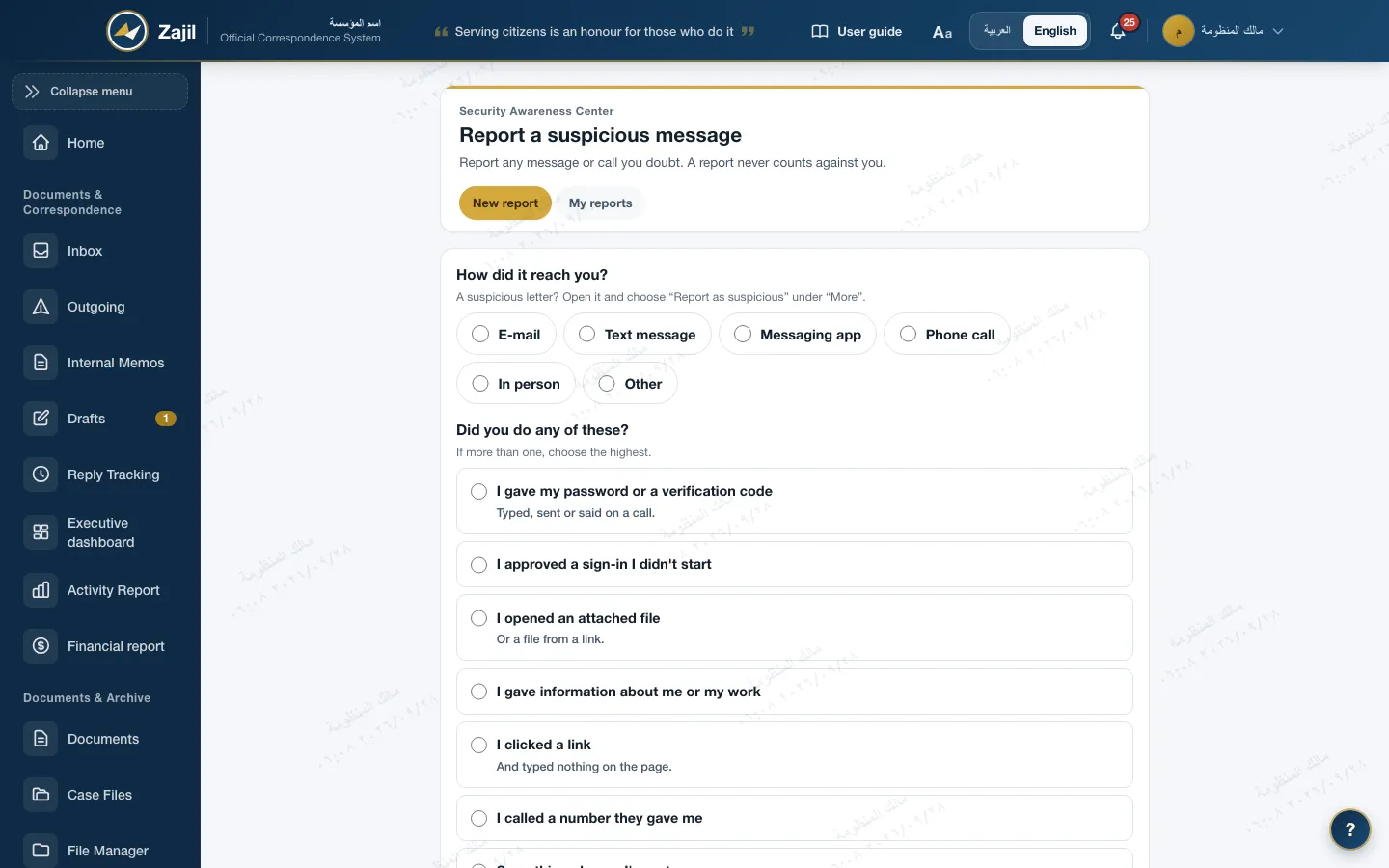
The awareness score
A score out of 100 from three components with published weights
Calculated every night, with a snapshot kept for each month. The weights are in settings and always total 100; the default is 50, 30 and 20.
- KnowledgeWeight 5072
- Training complianceWeight 3080
- BehaviourWeight 2090
Example: 72×0.5 + 80×0.3 + 90×0.2 = 78. Staff see their level, and each component with its reason, in "My awareness".
- KnowledgeThe last 20 answers in each topic. Assessments count in full and practice at half, and older answers fade over time.
- Training complianceTasks from the last year: on time counts in full, late as half, missed as zero.
- BehaviourStarts in the middle. Reporting raises it and never lowers any score, and imported live exercise results feed into it.
- New staffWith no knowledge or training yet, they show "insufficient data" and no score, so no one is labelled.
Chain hiding
A small group's figure shows as "Hidden"
So no one can learn a colleague's result. A figure is hidden when the group is small, or when it could be worked out from other figures.
An example at the default threshold: every group smaller than 5 staff is hidden.
| Unit | Staff | Average awareness |
|---|---|---|
| Whole institution | 39 | 68 |
| Administrative Affairs | 18 | 71 |
| Financial Affairs | 12 | 66 |
| Legal AffairsWould reveal another by subtraction | Hidden | Hidden |
| Information TechnologySmaller than 5 | Hidden | Hidden |
Whoever reads the table knows the two hidden units hold 9 staff together, but not how many are in each, nor anyone's result.
Illustrative figures. The same rule applies on the dashboard, "My unit", campaigns, exports and the evidence pack.
- The threshold5 staff by default, which the institution can raise up to 50. It never drops below 3, even if the database is edited by hand.
- Complementary hidingWhen a small part is hidden, the smallest visible part is hidden with it, so the hidden one cannot be found by subtracting from the total.
- Chained from the topEvery unit passes the judgement of every level above it. What is hidden at one level stays hidden below it, and a hidden unit cannot be drilled into.
- Published limitsHiding does not prevent comparing the same figure at two points in time. The limits are written in the module's documentation for the auditor.
Who sees what
For learning and protection, not performance evaluation
A fixed statement in settings and in "My awareness": staff results are not used in performance evaluation or in any disciplinary action.
- The staff memberSees their full results, their awareness score and their level. They do not see the risk score.
- The security awareness officerSees individual results for support only, and every view is audited. They do not hold the settings: duties are separated.
- The unit headA summary of their unit and the units beneath it, aggregated with the same hiding, with no names ever. The direct supervisor does not see staff results.
- LeadershipAggregate figures without names. On the executive dashboard, the whole institution's awareness score and completion month by month, and nothing else.
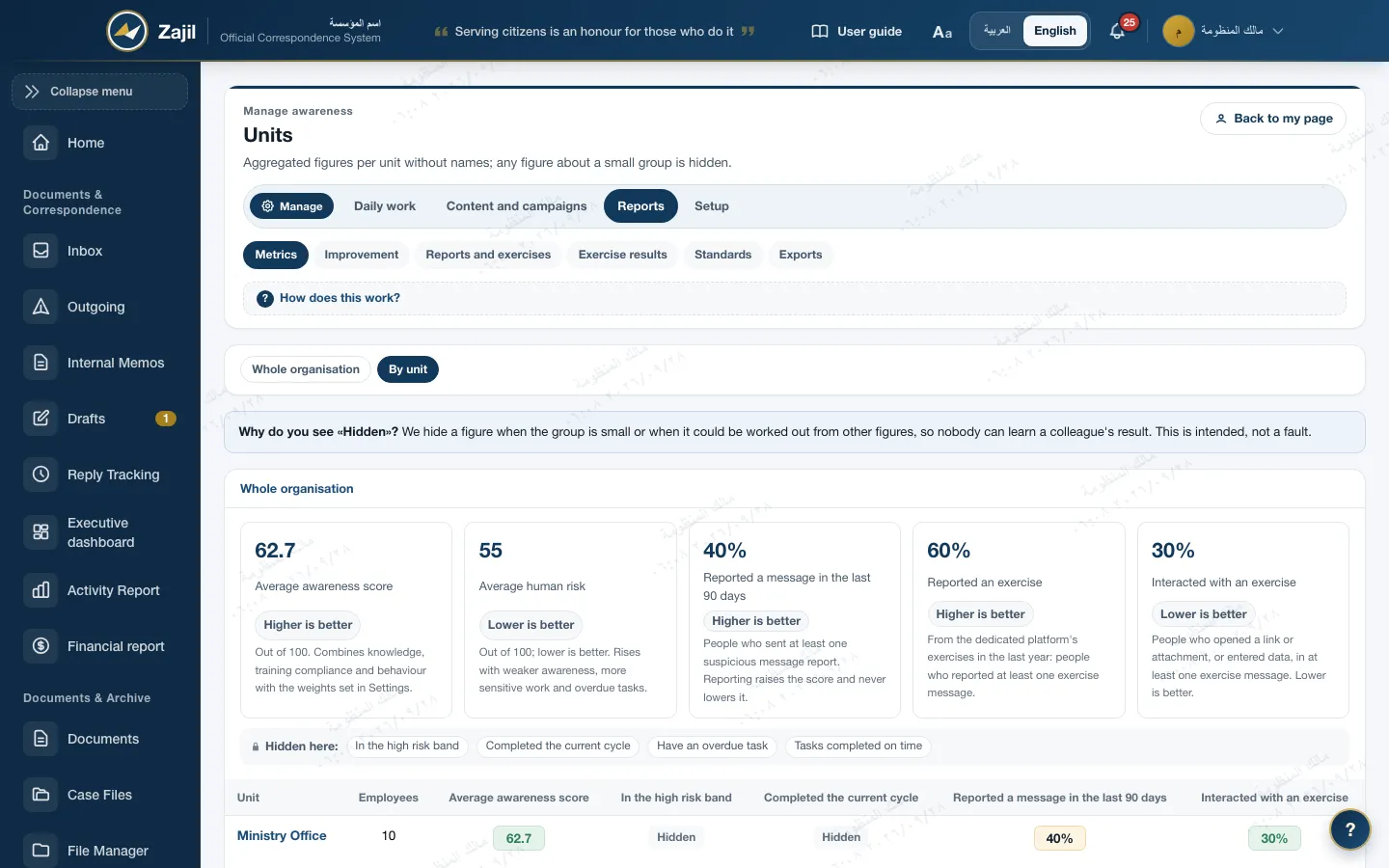
Improvement reports
Have we improved? By how much? Which topic needs a campaign?
- Improvement over the months6, 12 or 24 months, compared with the start of the period, the previous month, a year ago, or the target.
- Default targetsAwareness 75, completion 90%, on time 85%, reporting 30%, high risk 10% or less. The institution can change them.
- Weakest topicsRanked by average correct answers, each with "Campaign on this topic" for the campaign manager.
- Risk band for officersLow, medium or high. Only the band is shown, not the number, so no one's clearance can be inferred.
- Evidence for the auditorExcel export and a PDF evidence pack, with the same hiding.
Standards
Designed to the standards for awareness and training programmes
The module has a "Standards" page showing the status of every control: applied, available in content, partial, or gap. This is design that supports the institution's compliance, not a certificate.
- Awareness programme
- NIST SP 800-50 Rev. 1Mapped at the level of the whole programme: lessons, campaigns, measurement and reporting.
- Training controls
- NIST CSF 2.0CIS Controls v8PR.AT-01 and PR.AT-02, and CIS controls 14.1 to 14.9.
- National controls
- NCA ECCSubdomain 1-10: cybersecurity awareness and training.
- Information security
- ISO/IEC 27001At the level of the standard only, with no control numbers until they are matched to the licensed text.
The programme is designed to these standards and supports the institution's compliance with them. This is not a certification or an endorsement by the issuing bodies.
Frequently asked
About Security Awareness
Is the module on the public demo?
No. Security Awareness is an optional module enabled on request, and it is not on the public demo. When it is not enabled, its pages do not appear at all. Write to us for a showing.
Does Zajil send test phishing messages to staff?
No, never. Simulation happens through cards inside training. If you have a licensed live exercise platform, Zajil only imports its results.
Does a manager see their staff's results?
No. The direct supervisor does not see results, and the unit head sees aggregate figures without names. Individual results are for the awareness officer to give support, and every view is audited.
Does a mistaken report lower a staff member's score?
No. A report never lowers any score, even if the message turns out benign. Reporting early is the behaviour we want.
Does it send reminder e-mails?
No. Reminders and notifications are inside Zajil.

An optional module, enabled on request
We show Security Awareness on data like your own
Security Awareness is not available on the public demo. Write to us for a live showing; the demo covers Administrative Correspondence and the rest of the system.