Optional module, enabled on request
Document Center
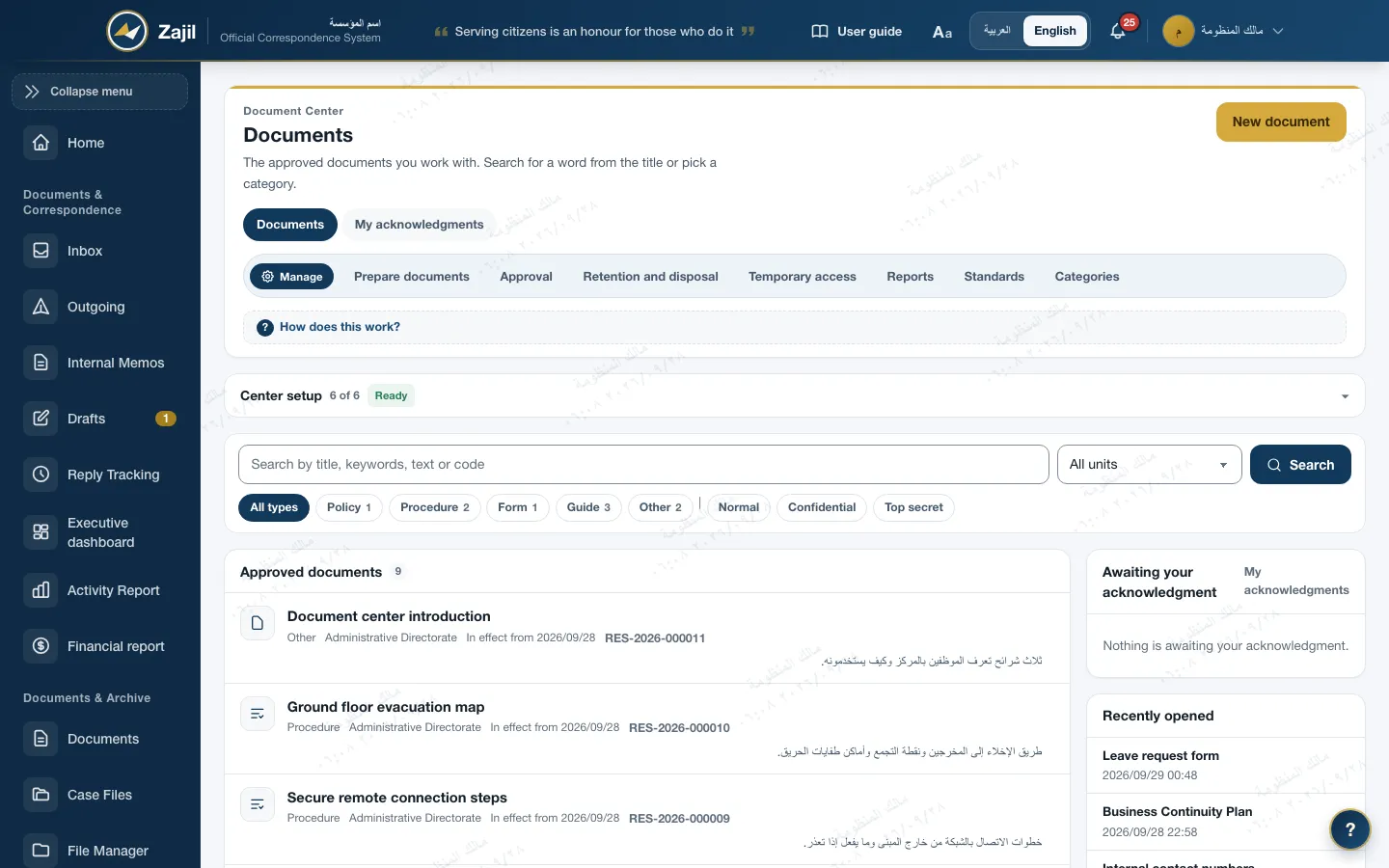
Approved documents in one place, with one version in force
The Document Center keeps the policies, procedures, guides and forms the institution has approved. Every version is approved by someone who did not work on it, every version has a number, a reason for change and a review date, and staff acknowledge having read it when the document asks for that.
- 7 kinds: policy, procedure, form, guide, regulation, reference circular and other
- Four-eyes approval: whoever worked on a version cannot approve it
- Secret documents are shown as page images watermarked with the reader's name
The version cycle
Every change is a new version, and there is always one in force
A document keeps its code while versions follow one another. The database allows one version in force and one open version per document.
- DraftPrepared by the unit's document preparer, with the reason for change
- Awaiting approvalApproved by someone who did not work on the version
- In forceOne version in force, with its number and effective date
- Periodic reviewEvery 6, 12, 24 or 36 months, with a reminder 30 days ahead
- SupersededWhen a newer version is approved, and kept exactly as it was
Returned for changesThe approver sends the version back to its preparer with a written note, and the note is required.
- Document codeIssued once in the form RES-2026-000123; versions are numbered 1, 2, 3 at approval.
- Reason for changeRequired for every version after the first, and shown to the reader above the document.
- Frozen versionsThe version in force and superseded versions cannot be edited: a database trigger rejects any change to them.
- Cancellation with a reasonA document is cancelled with a written reason and a named replacement, and those who acknowledged it are told. It can be reinstated.
Four-eyes approval
Whoever wrote the version does not approve it
- Wider than "the uploader is not the approver"Whoever created the version, uploaded its file, edited it or submitted it is removed from the approvers, in every round. Someone who recalls a submitted version counts as one of its authors.
- Permission and clearanceApproval belongs to holders of "Approve publishing", whose clearance reaches the level of the version and the file.
- No submission without an approverIf no eligible approver exists, submission is refused at the start, so a version never waits for someone who will not come.
- Return with a noteThe approver returns the version to its preparer with a required note, and the log keeps every round with its actor and time.
- Document preparerCreated version 2, uploaded its file and wrote the reason for changeWaitingDone
- A colleague in the unitEdited the version, and so became one of its authorsWaitingDone
- ApproverDid not work on the version, and holds clearance for its level · approvedWaitingDone
Whoever created the version, uploaded its file, edited it or submitted it cannot approve it, in any round.
Versions and periodic review
Every document's history is visible, and its review date is calculated
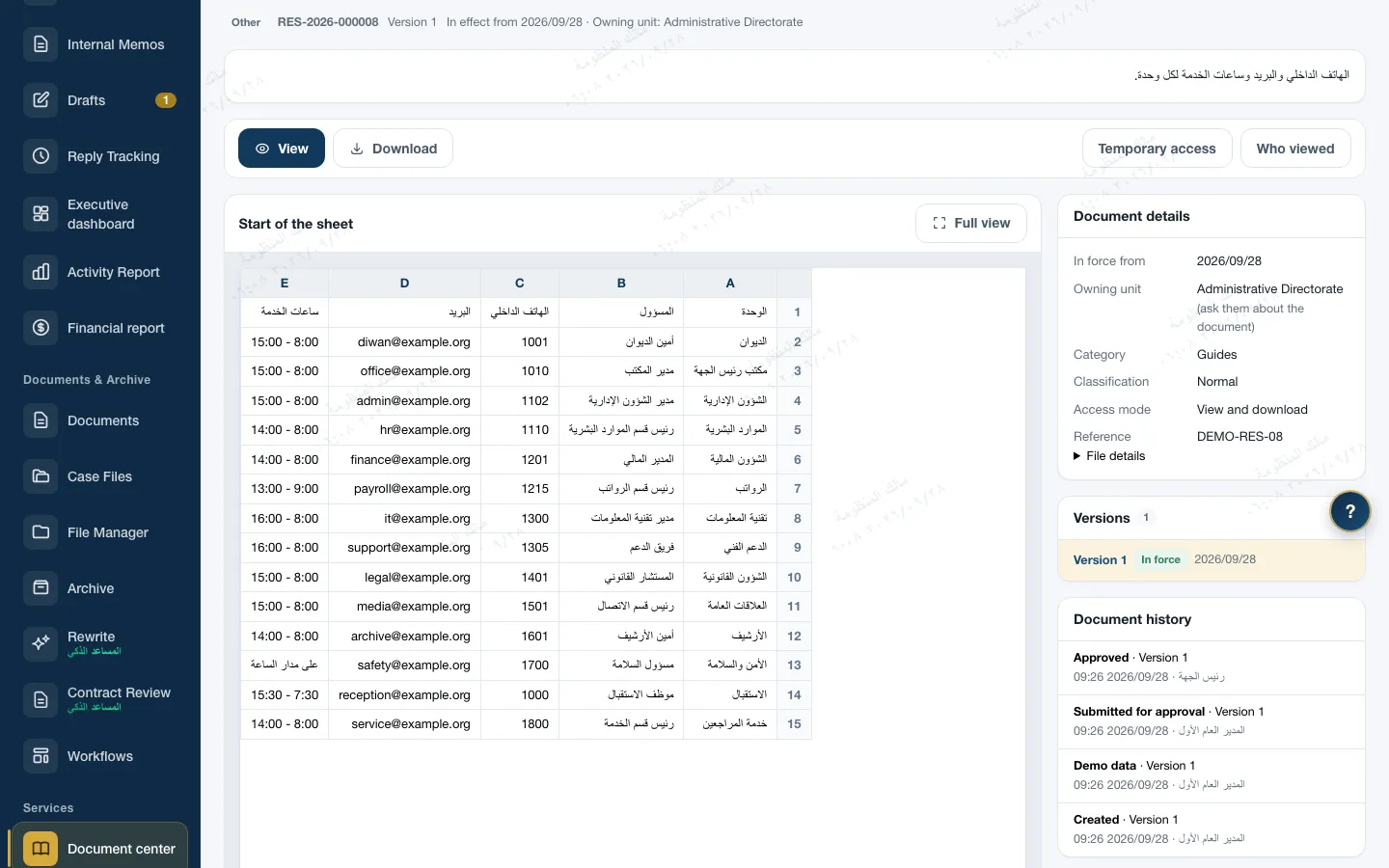
- Versions and historyThe document page shows its versions and a history of every event: created, submitted for approval, approved, and who did each.
- A review cycle6, 12, 24 or 36 months, or no periodic review. The next review date is the effective date plus the cycle.
- Reminders in three stages30 days before the date, on the date, then once overdue with the approvers added. Reminders are inside Zajil, to the unit's document preparers and its head.
- Confirming the reviewIf the document is still valid, the owner confirms its review and a new date starts without a new version.
- Documents from other bodiesAn external-origin document names its source, and the center reminds you to check for a newer edition every 12 months by default.
Publishing and acknowledgement
A document is published to its audience, and those who must acknowledge it do
- Acknowledgement when neededEach document chooses whether it asks for acknowledgement. A new version can ask again of everyone who acknowledged the one before.
- Acknowledge after openingStaff cannot acknowledge before opening the document. Acknowledgement is once per version, with its time and IP address, and cannot be edited or deleted.
- Publication noticeThe approver notifies the audience on publishing, and the message says "your acknowledgement is required" when it is. The "My acknowledgements" list gathers what is waiting.
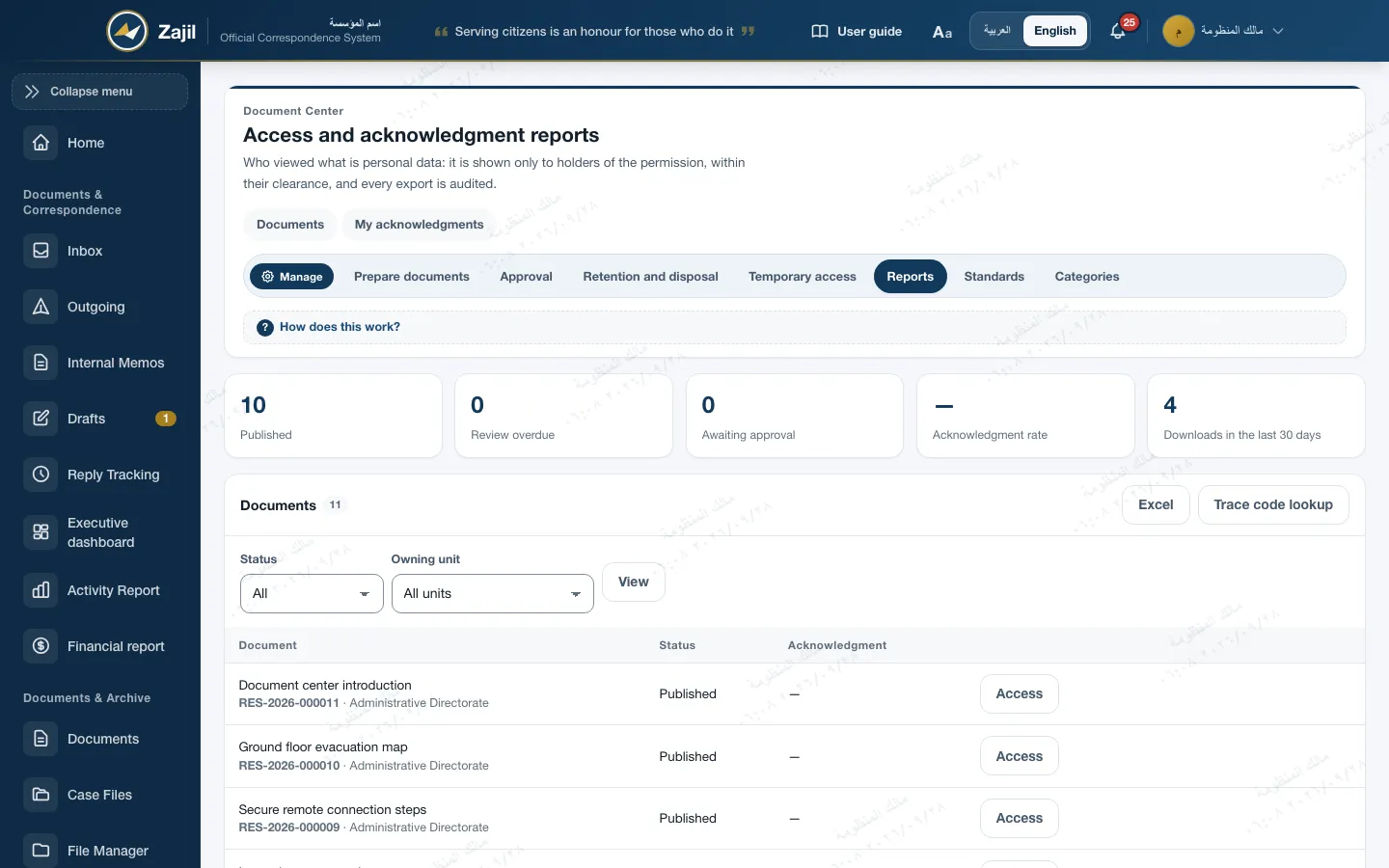
- Access and acknowledgement reportsWho acknowledged, who has not yet, and the acknowledgement rate. Exported to Excel or PDF, and every export is audited.
- A records policy, for exampleIt starts from a ready template that asks for acknowledgement and a review every 12 months, and goes through four-eyes approval. Once published, its clause on the archive standards page shows "applied" with the acknowledgement rate.
Audience
Every document reaches the people it concerns
The audience is chosen at publishing, and clearance always applies on top of it, the system administrator included.
All staff
For general policies that concern everyone.
Chosen units
One or more units, with or without the units beneath them.
Chosen roles
Unit heads, for example. When units and roles are both set, both must match.
Temporary access
For a person outside the audience, with a written reason, for up to 90 days.
Secret means view only
Every page carries the name of its reader
A secret document is viewed, not downloaded, and its file is always a PDF. Each page is drawn as an image the moment it is requested, with a watermark that cannot be removed.
Secret
Secret · View-only copyPage 3 of 8
What every page carries
- Reader
- Name and username
- Time
- Date and hour of viewing
- Document
- Its code and version number
- Trace code
- Eight characters, per day
Who leaked it?
3fa91c07
- Reader
- Salma Haddad
- Version
- v2
- Day
- 2026/09/28
An illustrative example. The page is drawn on each request and never stored, and the original file never leaves the server.
- Classification stampA top band with the document's level on every page, which also leads the bottom band and never drops from it.
- Controlled copyThe only download of a secret document is a PDF of the same watermarked pages, with an explicit grant of up to 7 days, and 3 copies an hour.
- ScreenshotsThey cannot be blocked in a browser, which is why every page carries what identifies its reader.
- Access logViews, pages, downloads, controlled copies and refused attempts, in a log that cannot be edited or deleted.
Completing the center
Tools the people who manage documents need
Tiered categories
A category tree the institution manages, up to 4 levels, separate from the document kind.
Search in the text
By title, code, keywords, summary and the text of PDF files, with Arabic spelling normalised.
Ready policy templates
Records, information security, acceptable use and AI policies, in Arabic and English, as an editable Word file.
Retention and disposal
A retention period per category or from the archive file plan. Disposal is requested by one person and approved by another, with a certificate, and nothing is destroyed automatically.
Checked uploads
Checks on type, signature, size, active content and viruses, a SHA-256 fingerprint, and a 60 MB limit.
On the phone
Documents are shown as pages in the mobile app, with no download and no controlled copy.
Standards
Designed to support the requirements of document control
The center has its own "Standards" page showing the status of every clause from the code itself. This is design that supports the institution's compliance, not a certificate.
- Document quality
- ISO 9001Clause 7.5: identification, review and approval, availability and protection, distribution, retention and disposal, and documents of external origin.
- Information security
- ISO/IEC 27001Policies (A.5.1), labelling of classification (A.5.13), and protection of records (A.5.33).
Zajil holds no certification from any body. The policies clause shows "applied" once the institution publishes its information security policy from the Document Center.
Frequently asked
About the Document Center
Is the center on the public demo?
No. The Document Center is an optional module enabled on request, and it is not on the public demo. When it is not enabled, its pages do not appear at all. Write to us for a showing.
Can the person who uploaded a document approve it?
No. Everyone who created the version, uploaded its file, edited it or submitted it is removed from the approvers, in every round.
Can a secret document be downloaded?
The original file is never downloaded. What is available is a controlled copy of the watermarked pages, with an explicit grant of up to 7 days.
What if someone photographs the screen?
That cannot be prevented in a browser. But every page carries the reader's name, the viewing time and a trace code, and a permission holder can trace the code back to the reader, the version and the day.
Does the center send e-mail?
No. Publication notices and review reminders are inside Zajil.

An optional module, enabled on request
We show the Document Center on data like your own
The Document Center is not available on the public demo. Write to us for a live showing; the demo covers Administrative Correspondence and the rest of the system.