For leadership
One page for the head of institution: what awaits them, what is late, and where
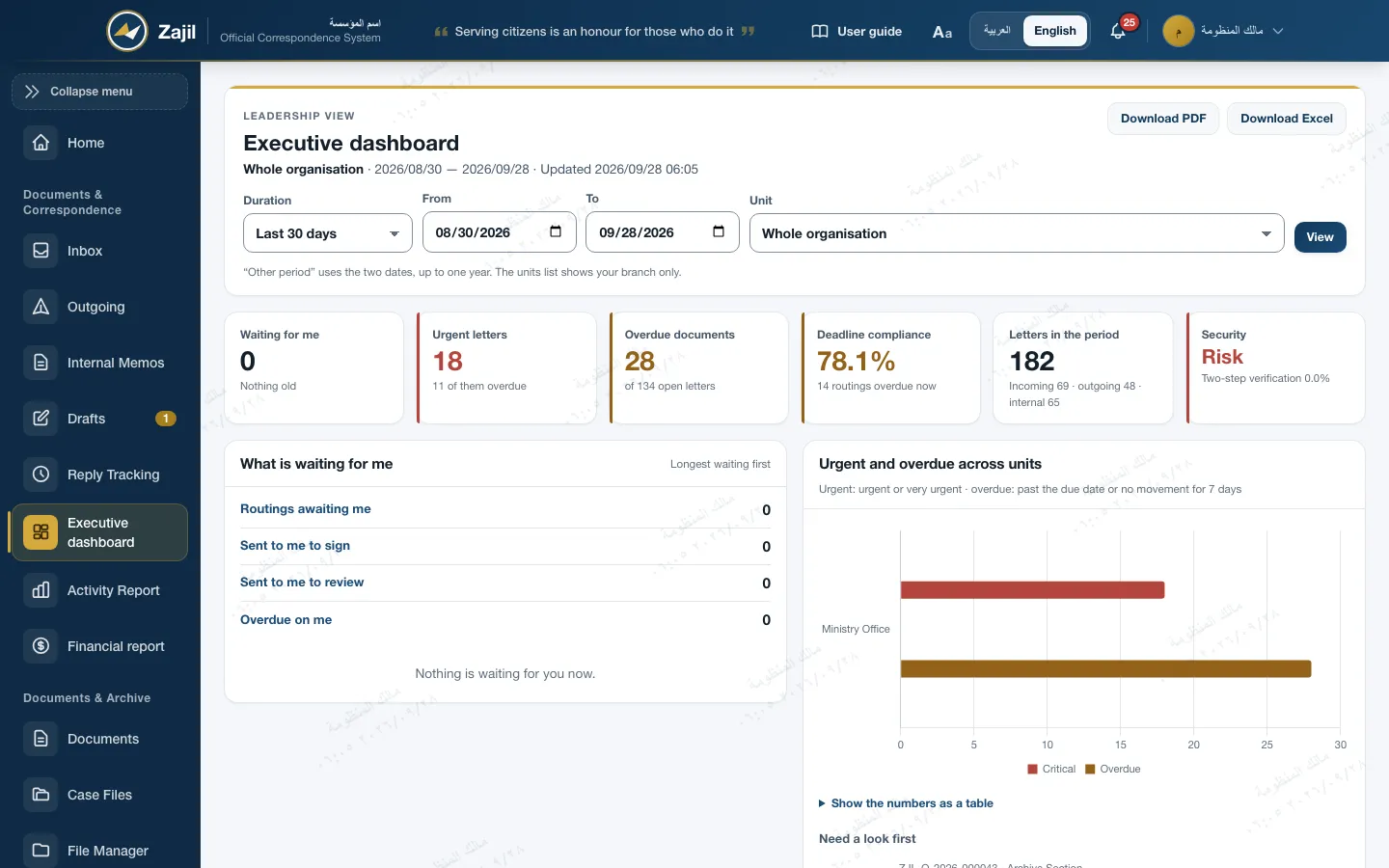
The executive dashboard shows what awaits your decision, urgent and overdue letters spread across units, the share completed within deadline, the workload, and security posture and compliance. Clicking a unit takes you down into it, and the whole dashboard exports to PDF or Excel.
- What awaits you first, with the oldest at the top
- Overdue items by unit, and a click takes you down into it
- PDF and Excel export with the numbers on the screen
What the dashboard shows
Numbers a decision can be made on, and every number opens its detail
Waiting for me
Routings awaiting you, drafts sent to you to sign or review, and what is overdue on you. Longest waiting first, calculated the moment the page opens.
Urgent and overdue
Urgent means urgent or very urgent; overdue means past its due date or 7 days without movement. Worst first, with a "need a look first" list.
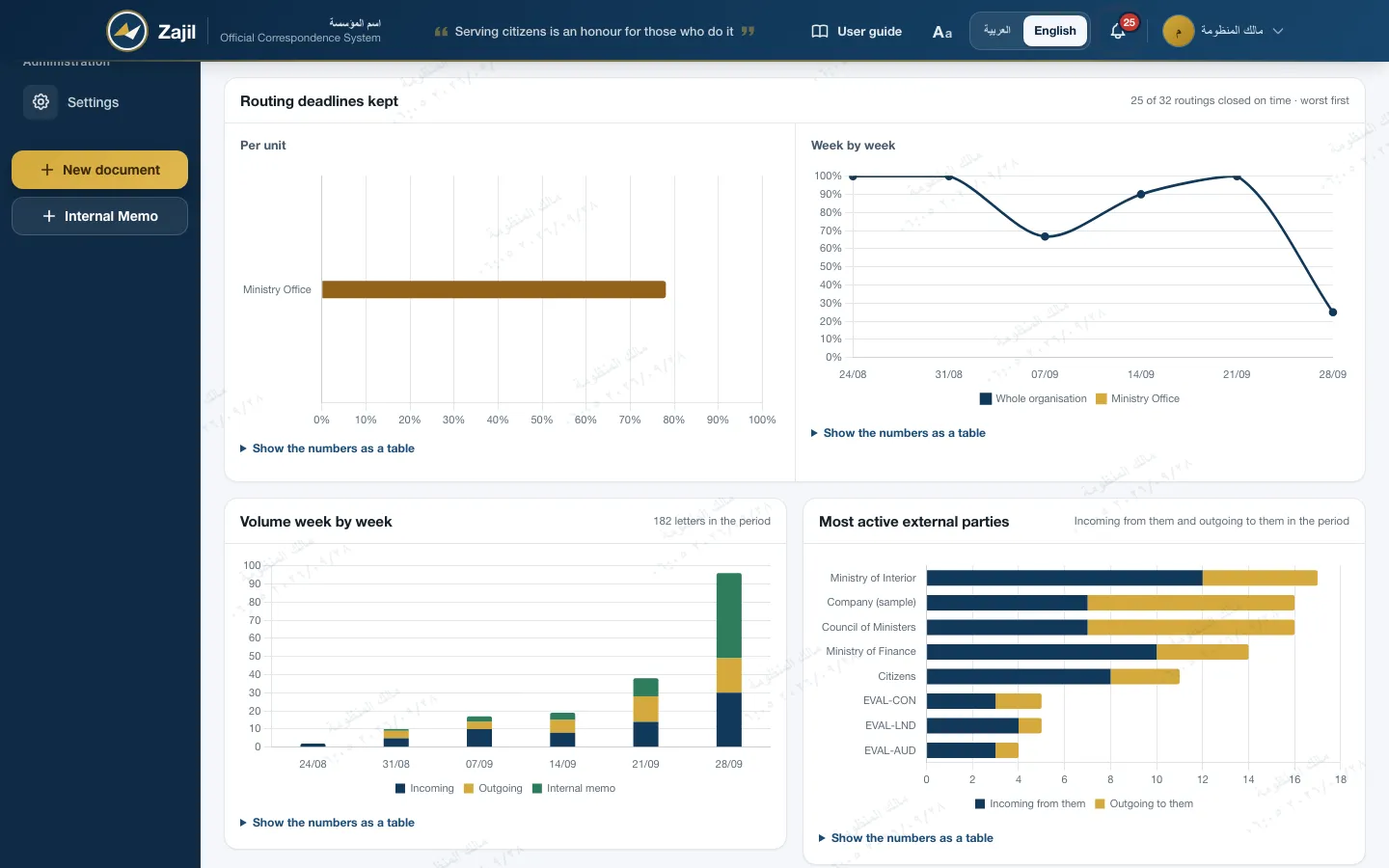
Routing deadlines kept
Of the routings closed in the period that had a due date, how many closed on time. Per unit, with a weekly trend.
Volume
Letters in the period split into incoming, outgoing and internal memos, day by day or week by week depending on the length of the period.
External parties
The eight most active external parties in the period: what came from them and what went to them.
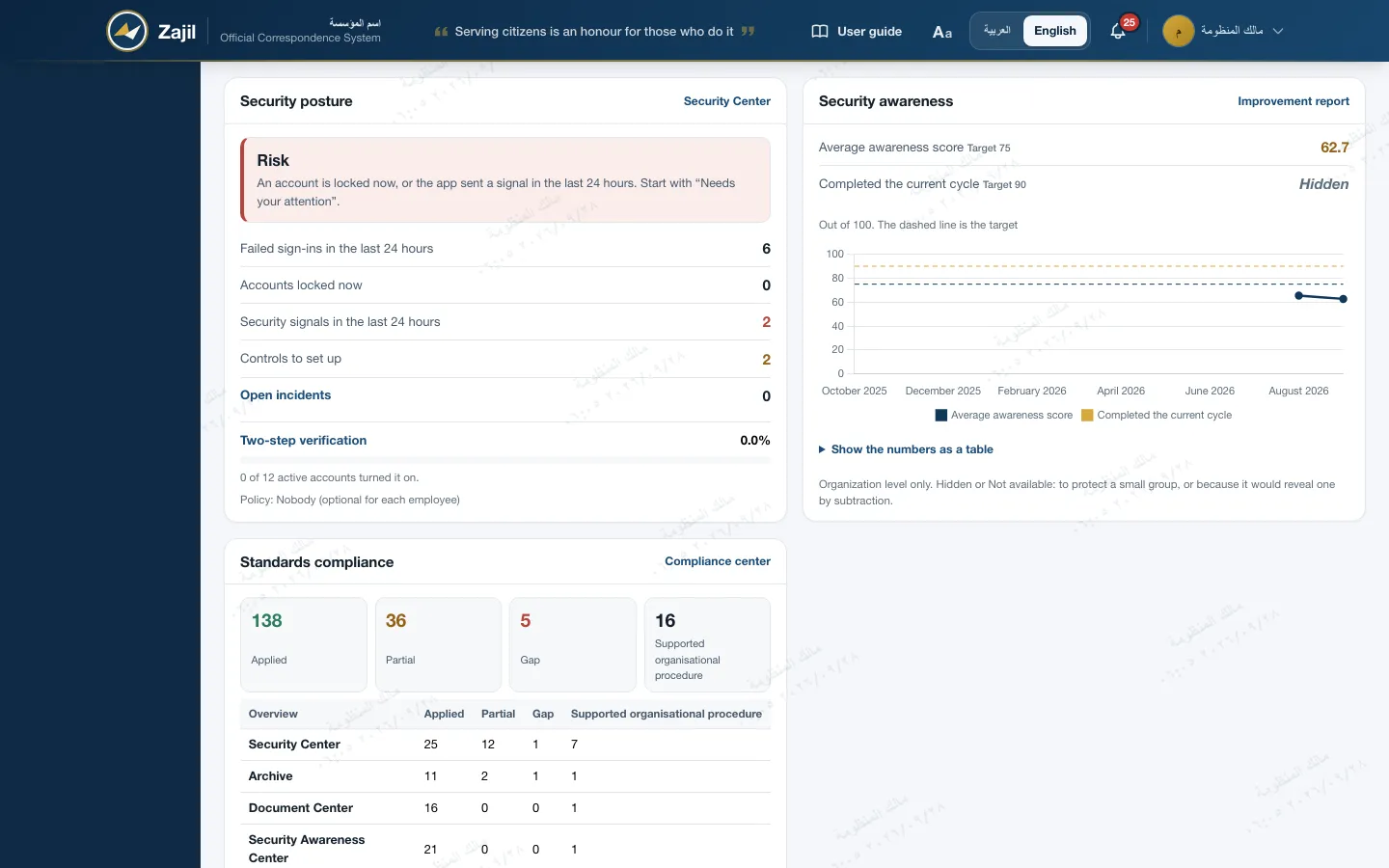
Security and compliance
The security center's state, two-step verification coverage, and the state of controls in the compliance center. The awareness score appears when the Security Awareness module is on.
Deadlines and volume
Where units keep their deadlines, and where letters pile up
- A period you chooseThe last 7, 30 or 90 days, or a range from one date to another of up to a full year.
- A unit you chooseThe unit list shows only what is within your scope, in the order of the structure.
- Numbers under every chartEvery chart has a table of its numbers that opens with a click and works without scripts.
- Fresh numbersAggregated numbers are kept for two minutes, and cleared the moment a letter or routing is saved.
Drilling down into a unit
From the whole organisation to the section, with a click on the number
At every level there is a row for each child unit, with numbers rolled up from everything under it, and a row for what sits in the unit itself directly.
Urgent and overdue across units
| Unit | Live letters | Urgent | Overdue |
|---|---|---|---|
| Planning Section | 12 | 3 | 2 |
| Execution Section | 9 | 1 | 4 |
| Budget Division directly | 5 | 0 | 1 |
Illustrative numbers. Clicking a unit name, or its bar in the chart, takes you down into it, and the path takes you back up.
- Who sees whatThe system administrator sees the whole organisation. Everyone else sees their own unit and what is under it, among the letters they are entitled to see.
- Outside the scope is closedA unit outside your scope does not open, on the page or in the export.
- No letter textThe dashboard shows only the letter number, subject and unit. A subject above your clearance shows as "Subject above your clearance".
Security and compliance on the dashboard
The state of security and controls on the same page
- Security postureThe overall state as drawn by the security center, failed sign-ins in 24 hours, locked accounts, and open incidents when the register is on.
- Two-step verificationHow many active accounts have turned it on, and who is past the enrolment deadline.
- Standards complianceApplied, partial, gap and supported organisational procedure for every center, with the reminder that this is support for the standards, not a certification.
- Security awarenessThe awareness score and completion month by month, at organisation level only. An optional module, enabled on request.
Export and reports
What is on the screen reaches the meeting as it is
PDF for the meeting
Landscape A4 pages, right to left in Arabic and left to right in English, with fonts inside the server so no connection is needed.
Excel with the same numbers
Both files are built from the same rows as the screen, and an automated test checks that the export matches the page.
Downloads are logged
Every download from the dashboard is recorded in the audit log with the unit, period and sections.
Activity report
Four tabs: routing activity, general statistics, performance indicators, and deadline compliance.
By staff member
In general statistics: what each staff member created, received, routed and holds overdue right now, drilling down through the structure.
CSV, Excel and PDF
Every tab exports in all three formats, scoped to "mine", "my unit", or the whole system for the system administrator.
Frequently asked
About the executive dashboard
Who can see the executive dashboard?
The institution's top roles, the system administrator, and anyone the administrator grants it to. Others do not even see its link.
Does the dashboard show letter text?
No. It shows only the letter number, subject and unit, and a subject above the viewer's clearance is hidden.
How fresh are the numbers?
"Waiting for me" is calculated the moment the page opens. Aggregated numbers are kept for two minutes and cleared as soon as a letter or routing changes.
Is the dashboard in the mobile app?
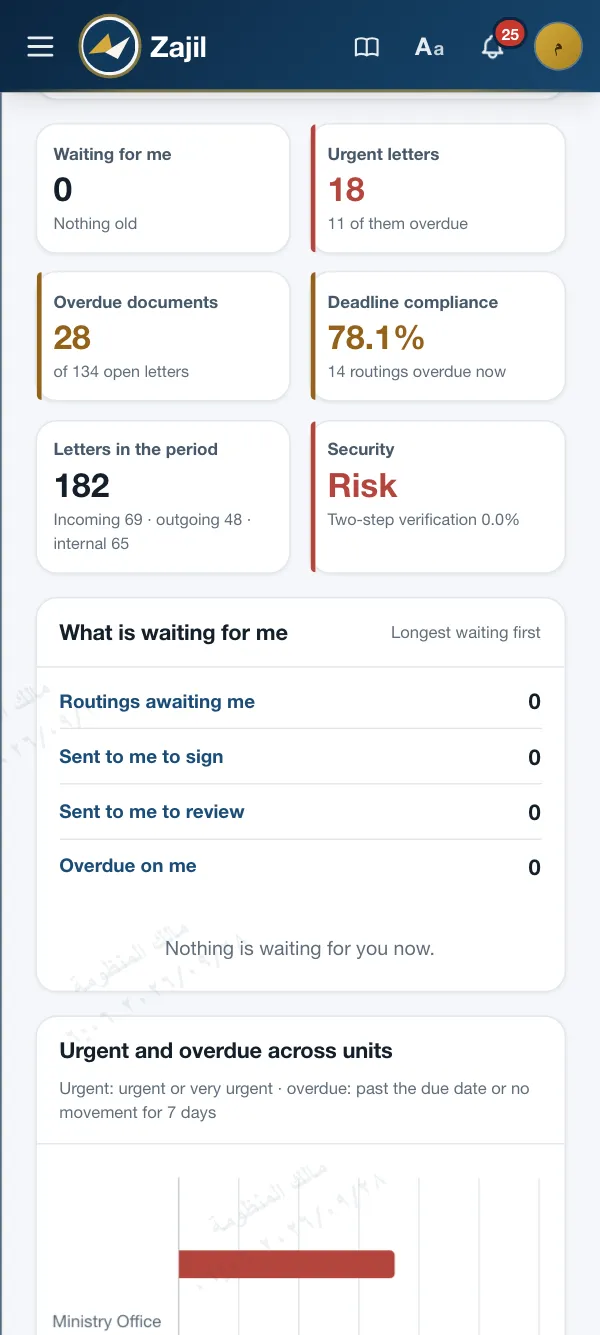
Not in the app. The page works in the phone browser in a single column.

Get in touch
See the dashboard on a whole institution's data
We show you the executive dashboard and the reports in a session, and drill down with you from the whole organisation to the section.