Administrative Correspondence
Incoming, outgoing and internal letters in one register
A letter is written, reviewed, approved, sealed, routed and archived inside Zajil. Every letter has a clear status, a known approval chain, a deadline counted in working days, and an action log that cannot be edited.
- 14 letter kinds, including circular, decision, minutes and contract
- Three classification levels decide who sees a letter and who it can be routed to
- Approval and routing from the phone, under the same permissions
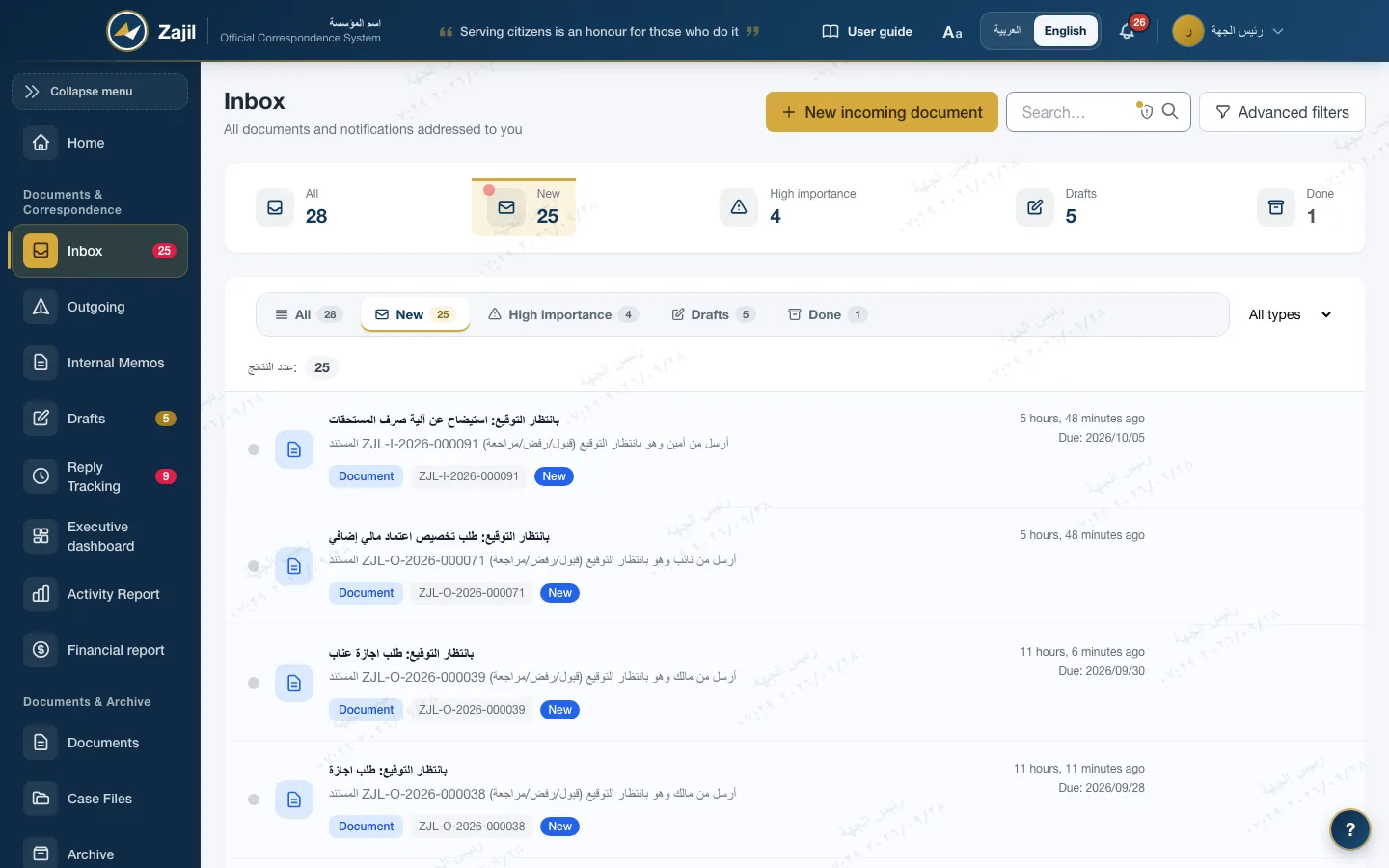
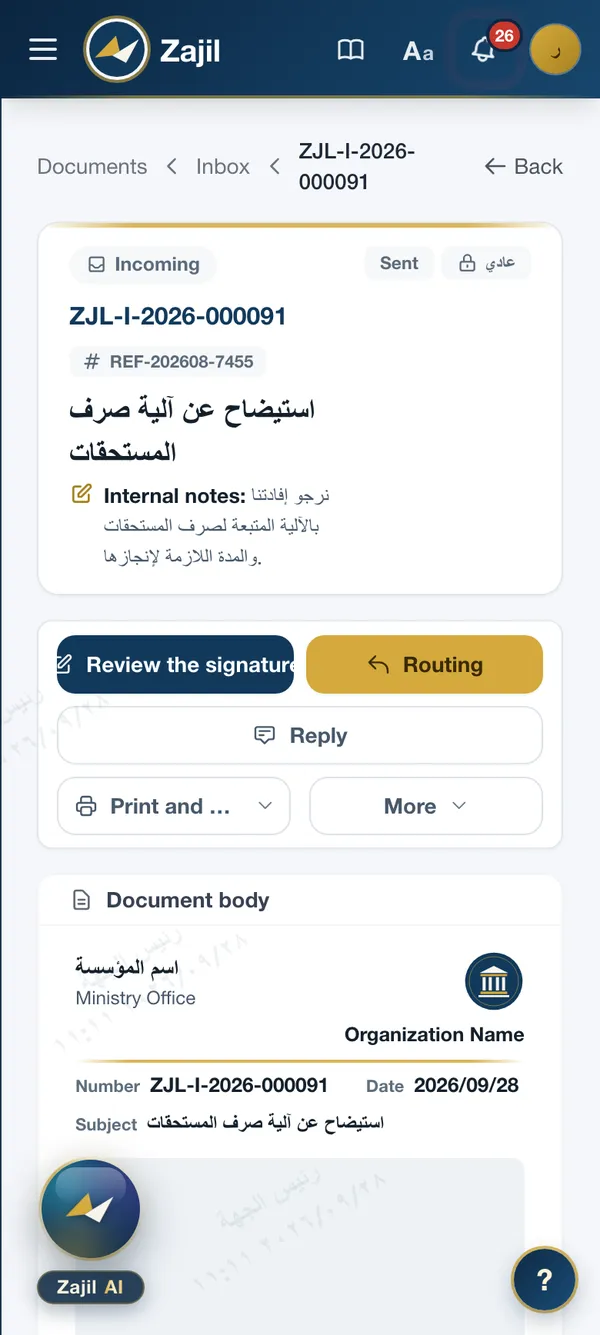
The letter cycle
From draft to archive, with the status of every letter known
A status changes through a recorded action, never a manual edit. These are the main stages, alongside the rejected, cancelled and completed states.
- DraftWritten with its kind and classification
- ReviewThe direct supervisor returns, signs or passes it
- Awaiting approvalApproval steps in order
- Officially sealedOutgoing number and verification code
- RoutingTo the responsible unit, with a deadline
- ArchivedArchive number and retention period
Rejected or returned for reviewIt goes back to its author with notes, and the log keeps the reason.
- Registration numberIssued at creation in the form ZJL-O-2026-000041: the institution prefix, the type, the year, then the sequence. The prefix comes from settings.
- Outgoing numberIssued at final approval in the form OUT/ADM/2026/000214, with the code of the issuing unit.
- Letter date and registration dateThe letter date is the one written on it; the registration date is the day it was entered. Both show in the Gregorian or Hijri calendar, or both.
- Action logEvery move between two statuses is recorded with its actor, its time and its reason, and shows on the letter page.
Writing the letter
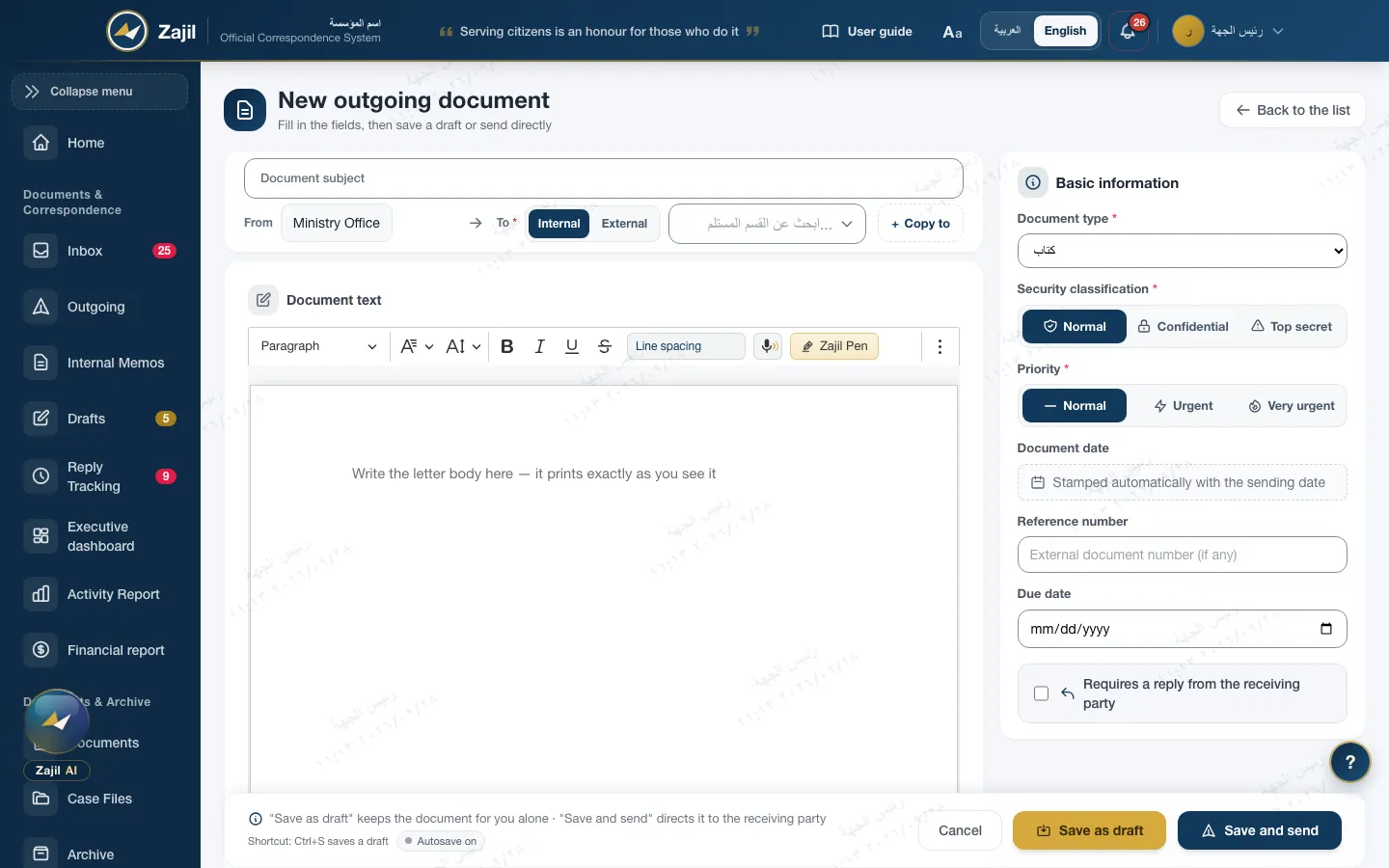
One form: addressing, classification, priority and body
- From and to at the top of the formThe subject, then the sender and the recipient: an internal unit or an external party, with "copy to".
- Classification and priority before writingNormal, secret or top secret, and normal, urgent or very urgent. The classification governs who sees the letter from then on.
- Dates are not written by handThe letter date is stamped automatically with the sending date. The due date, the reference number and whether the letter needs a reply are set in the form.
- Automatic savingWhat you write is saved on the server automatically, and on the device when the connection drops. Then "save as draft" or "save and send".
- Zajil Pen in the editor toolbarThe Pen button next to the formatting tools drafts from the case file, when the institution turns AI on. How Zajil Pen works
Review and approval
The direct supervisor reviews, then the chain runs in order
- Draft reviewBefore sending, the draft goes to the direct supervisor, who returns it with notes, signs it so it goes out under their name, or passes it as it is.
- An ordered approval chainEach step is assigned to a person, a role, a unit head, or the author's direct supervisor. Each step has a seven-day deadline and a reminder after three.
- Recorded delegationA person with authority can delegate it, and the delegation records who delegated, to whom and why.
- No double approvalEach step is protected by a lock: if two people approve at the same moment, the first is accepted and the second is told the letter has changed.
- The endorsement on paperThe approver's note prints on the letter as an endorsement, together with the official seal and a verification code.
- Staff memberWrote the draft and sent it for reviewWaitingDone
- Direct supervisorReviewed the draft and cleared it to goWaitingDone
- DirectorApproved · step 1 of 2WaitingDone
- Head of institutionApproved and signed · step 2 of 2WaitingDone
Any step can return the letter for review with notes, or reject it with a written reason.
Addressing
Official correspondence addresses the office, not the person
- To a unit or to a personAn internal letter is addressed to the unit and reaches its head, or to a named person if they are active in it and their clearance allows.
- Copy toCopies for information to other units and bodies, with the "copy to" text edited exactly as it will print.
- External bodiesA directory of the bodies you correspond with, used for outgoing letters and for registering incoming ones.
- Chain of commandThe institution chooses: open correspondence, informing the head, or going through the chain. Plus an optional gate on the leadership office.
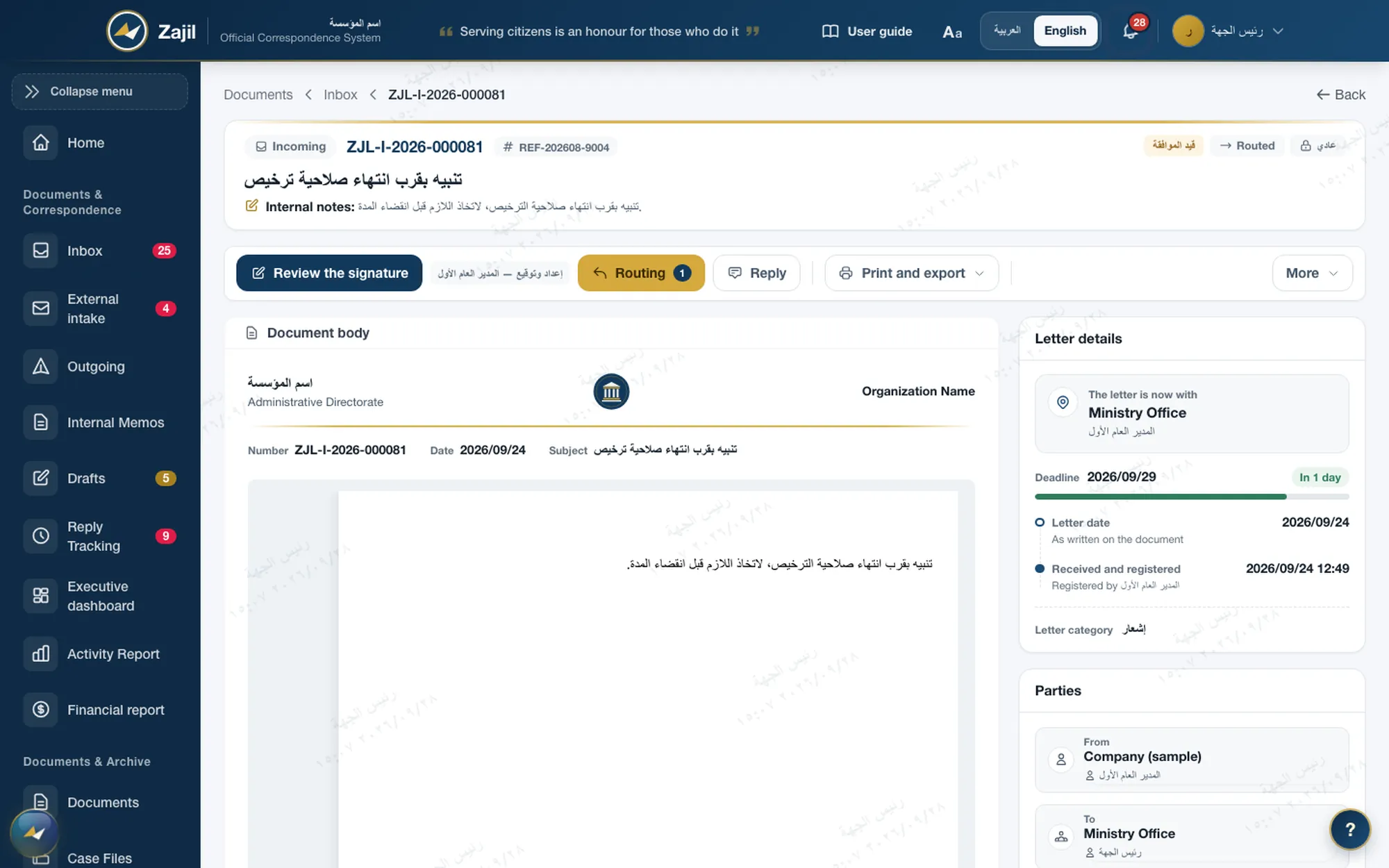
Incoming and outgoing
Incoming paper is registered and routed; outgoing letters leave sealed
The registry works in the order it always has, but with no ledger and no hand delivery.
- 1
Register incoming
The registry clerk records the letter with a number and a receipt date, and attaches its image straight from the scanner through the scan agent.
- 2
Route with a deadline
To the responsible unit, with a deadline counted in working days and public holidays, a warning before it is due and escalation after.
- 3
Follow up the reply
A letter awaiting a reply stays on the follow-up list until the reply arrives, and overdue items show to the unit head.
- 4
Sealed outgoing
Printed on the institution's template with signature and seal, and a QR code that opens a public verification page.
Inbound e-mail
The institution's e-mail becomes an incoming letter, after sorting
Zajil reads the institution's mailbox every minute and never deletes or moves anything in it. A message does not enter the register by itself: it waits for the registry clerk in the sorting queue.
Incoming e-mail
- Subject
- Request to extend the accounts settlement deadline
- Attachments
- Two PDF files
Incoming mail to sort
The registry clerk sees the sender, the verification result and the attachments, then decides what to register.
Incoming letter
- Registration no.
- ZJL-I-2026-000092
- Letter date
- 2026-09-27
- Received and registered
- 2026-09-28
- Attachments
- 2 · scanned
- Encrypted connectionIMAP over TLS on port 993, with Microsoft 365 supported through OAuth2.
- No duplicatesEvery message is identified by its ID, so it is never registered twice.
- Scanned attachmentsEvery attachment goes through the file inspector, then ClamAV if configured. Anything suspicious is quarantined.
- Spoofing warningSPF, DKIM and DMARC results are read from the mail server, with a red warning when in doubt.
Mobile app
The decision from the phone, under the same permissions
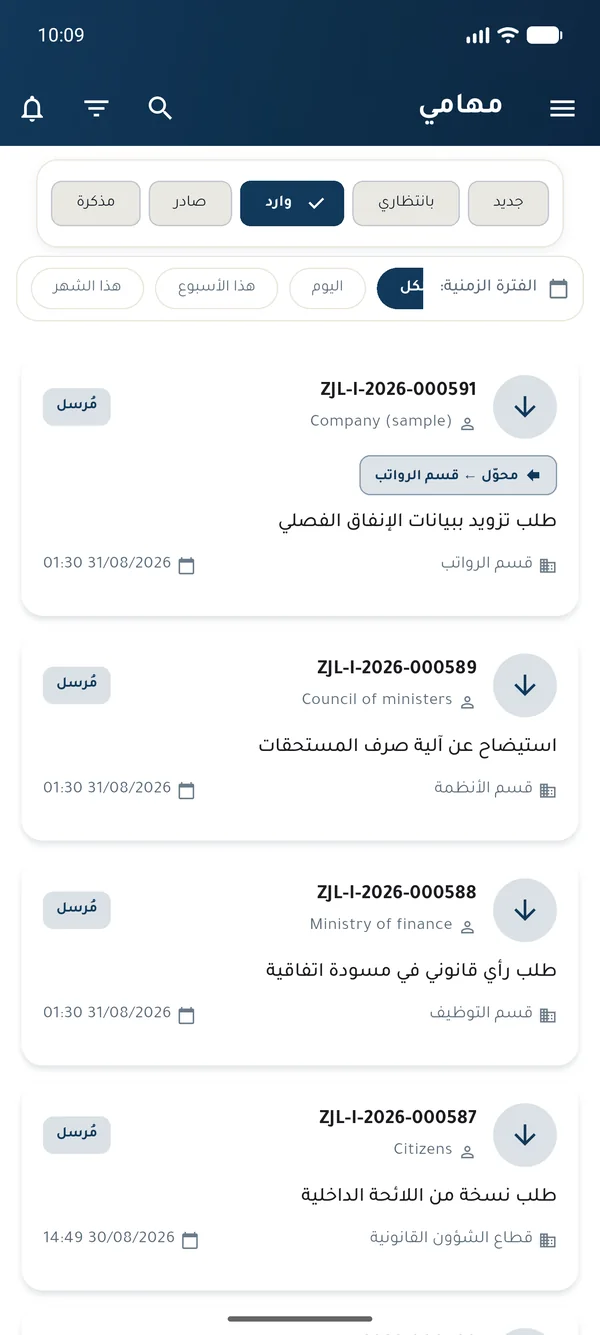
- Approve, reject and routeAnd request information, and review drafts: return with notes, sign and send, or pass.
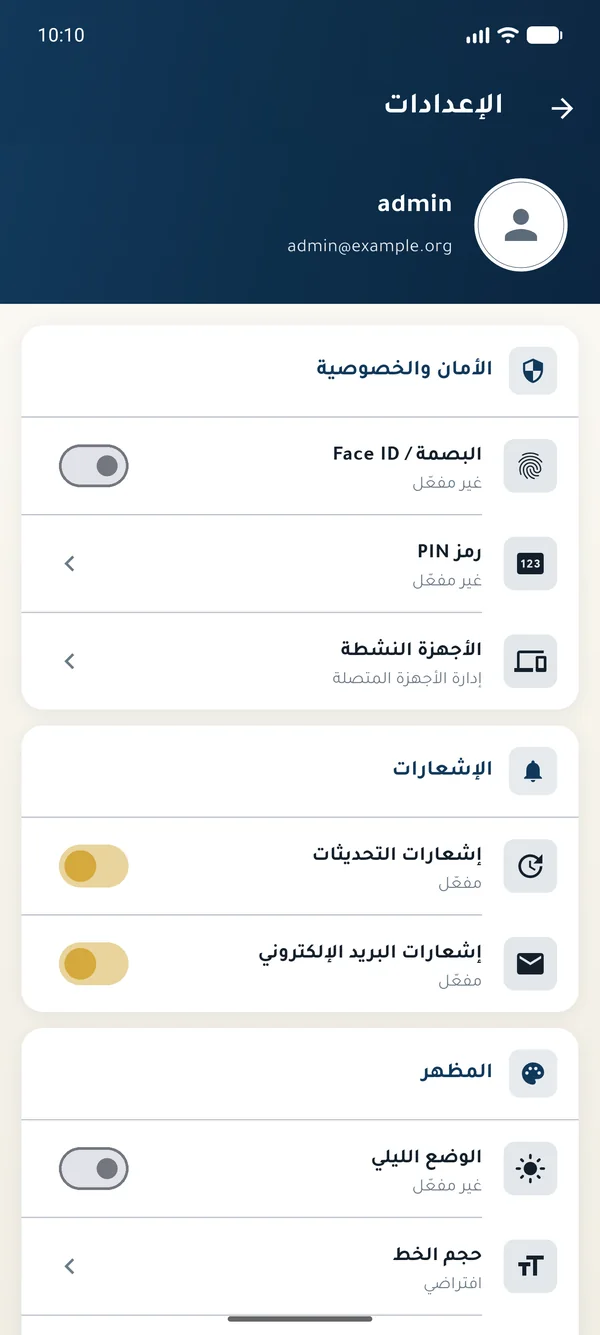
- Device securityPIN and biometrics, two-factor sign-in, screenshot blocking on Android, and server certificate pinning.
- A ceiling on classificationThe institution can set the highest classification level that opens on the phone.
- Writing stays on the webCreating the letter and the official seal happen on the web; the phone is for reading and deciding.
Completing the cycle
Tools the registry needs every day
Case files
A case's letters in one file, which moves with them into the archive.
Official templates
The institution's letterhead and footer in versioned templates, with signature and seal images.
Ad-hoc approval
An approval a staff member asks of a named person, without changing the letter's status.
Scan agent
A Windows program that takes paper from the scanner and attaches it to the letter directly.
Routing report
Daily trend, distribution across units, and overdue items by staff member.
Letters between institutions
A letter signed with the institution's key lands in the inbox of a paired institution, with no hand delivery.
Frequently asked
About Administrative Correspondence
What is the difference between the letter date and the registration date?
The letter date is the one written on the letter itself, kept as it is for incoming paper. The registration date is the day it was entered in Zajil; for incoming letters it is called the receipt and registration date.
Can two people approve the same step?
No. Each step is protected by a lock: the first approval is accepted, and the second is told the letter changed before it is saved.
Does every e-mail enter the register?
No. E-mail waits in the sorting queue and the registry clerk decides what to register. Each mailbox has an allow list and a block list, and raw messages are kept for 365 days by default.
Does the system administrator read letters?
Not when the organisation turns on the "manages, does not read" policy. The administrator then runs accounts and settings only, and reading a given letter needs a live grant for that letter, recorded in the log.
Do we need an internet connection?
The letter cycle does not: all of its steps happen inside the institution's network. Reading e-mail only needs access to the institution's own mail server.

A working build
Create a letter, approve it and route it yourself
The live demo has ready-made accounts for a head of institution, a director and a staff member, and its data resets every 24 hours.